
[HelpDesk CustomerSupport AI Automation]
How Help Desk Automation Improves Support Efficiency in 2026
Jaisingh Pedhuru
Apr 5, 2026
Support teams in 2026 are not struggling with a shortage of capable people — …
Empowering Your Digital Presence
Brand2Social simplifies social media management by offering powerful tools to plan, schedule, and monitor posts across multiple platforms.
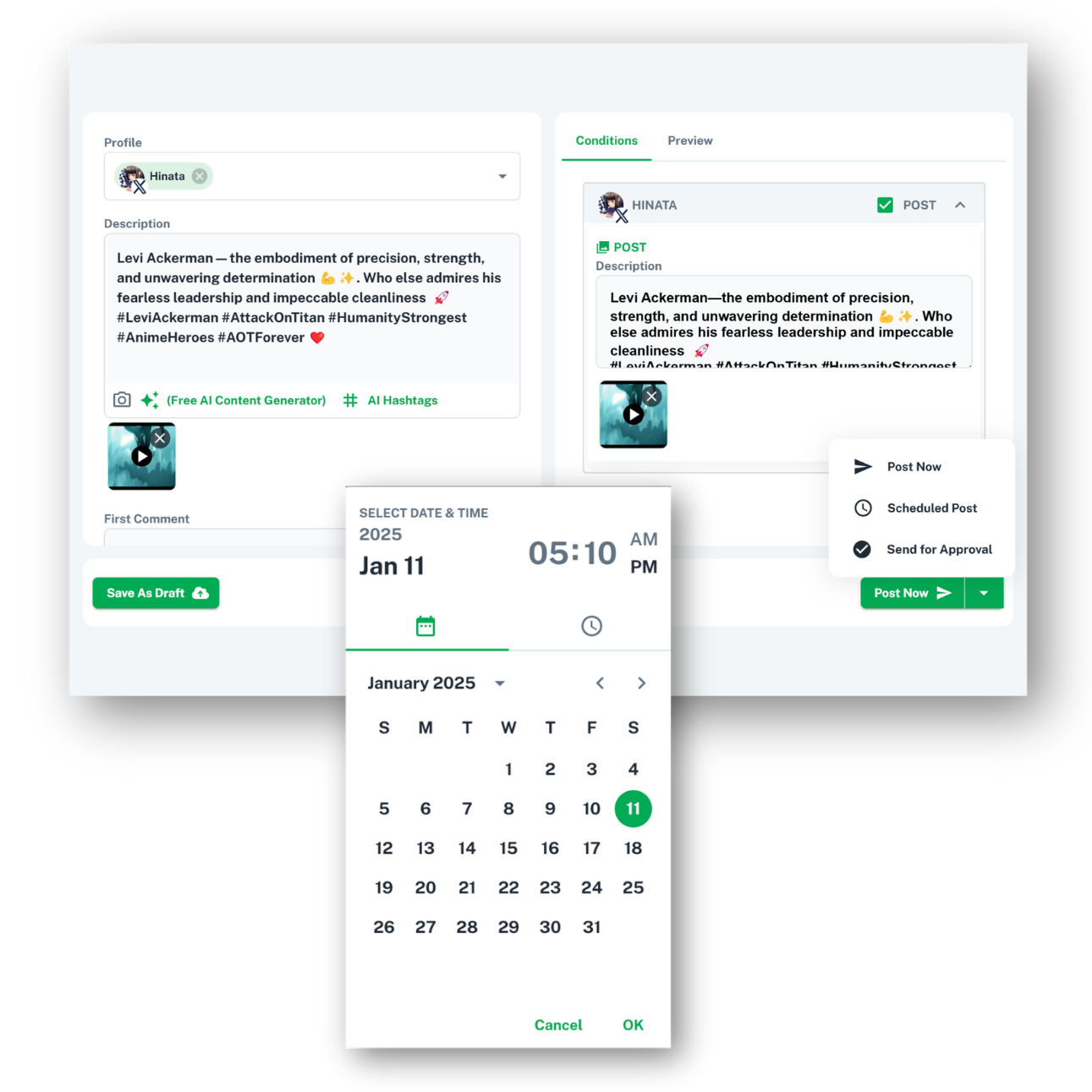
TAKE CONTROL OF YOUR CONTENT
Simplify your workflow with a powerful scheduling tool that ensures your posts are published at the perfect time across all platforms. Say goodbye to manual uploads and hello to efficient social media management.
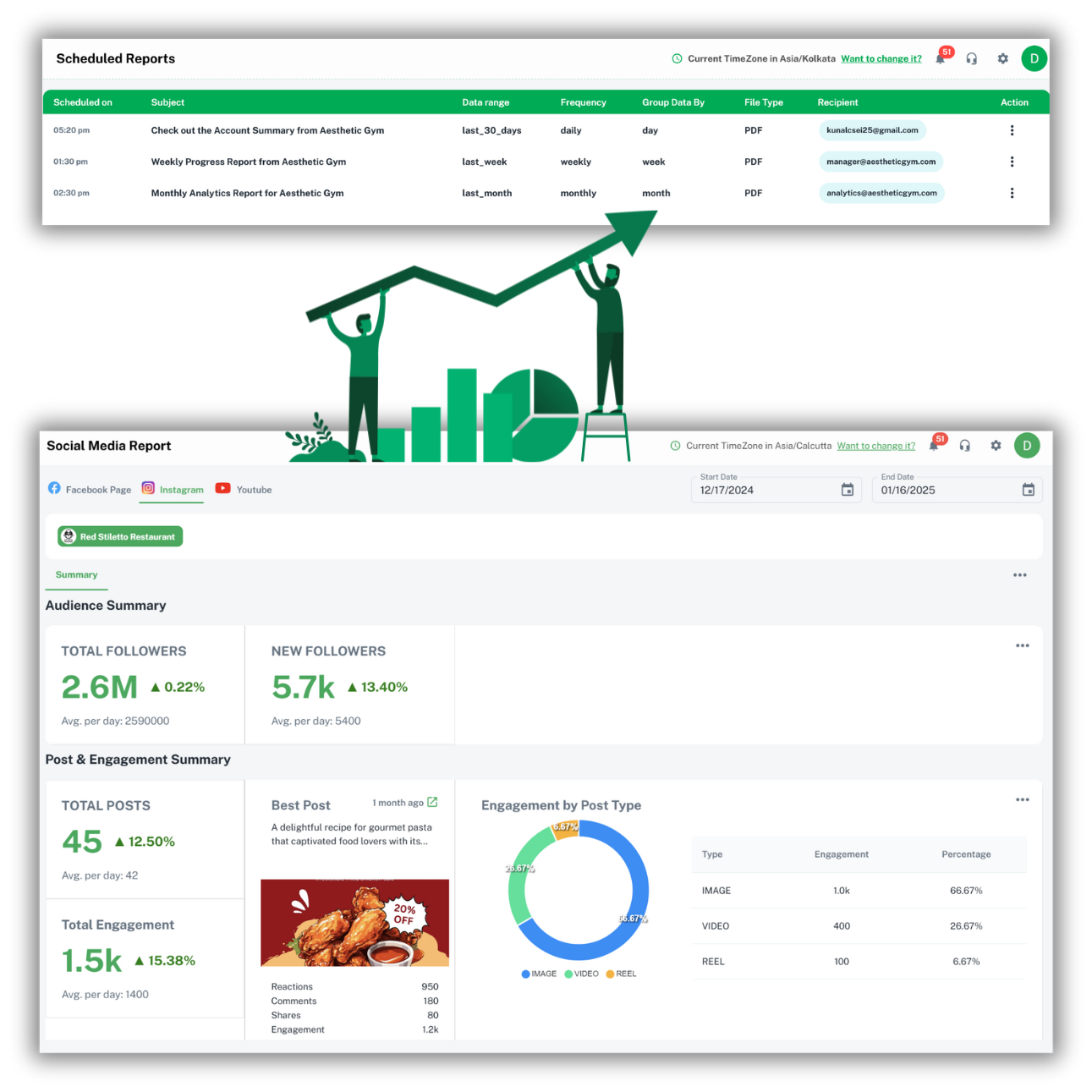
MEASURE WHAT MATTERS
Gain a deeper understanding of your social media performance with detailed analytics and reporting tools. Track engagement, identify trends, and make data-driven decisions to enhance your strategy.
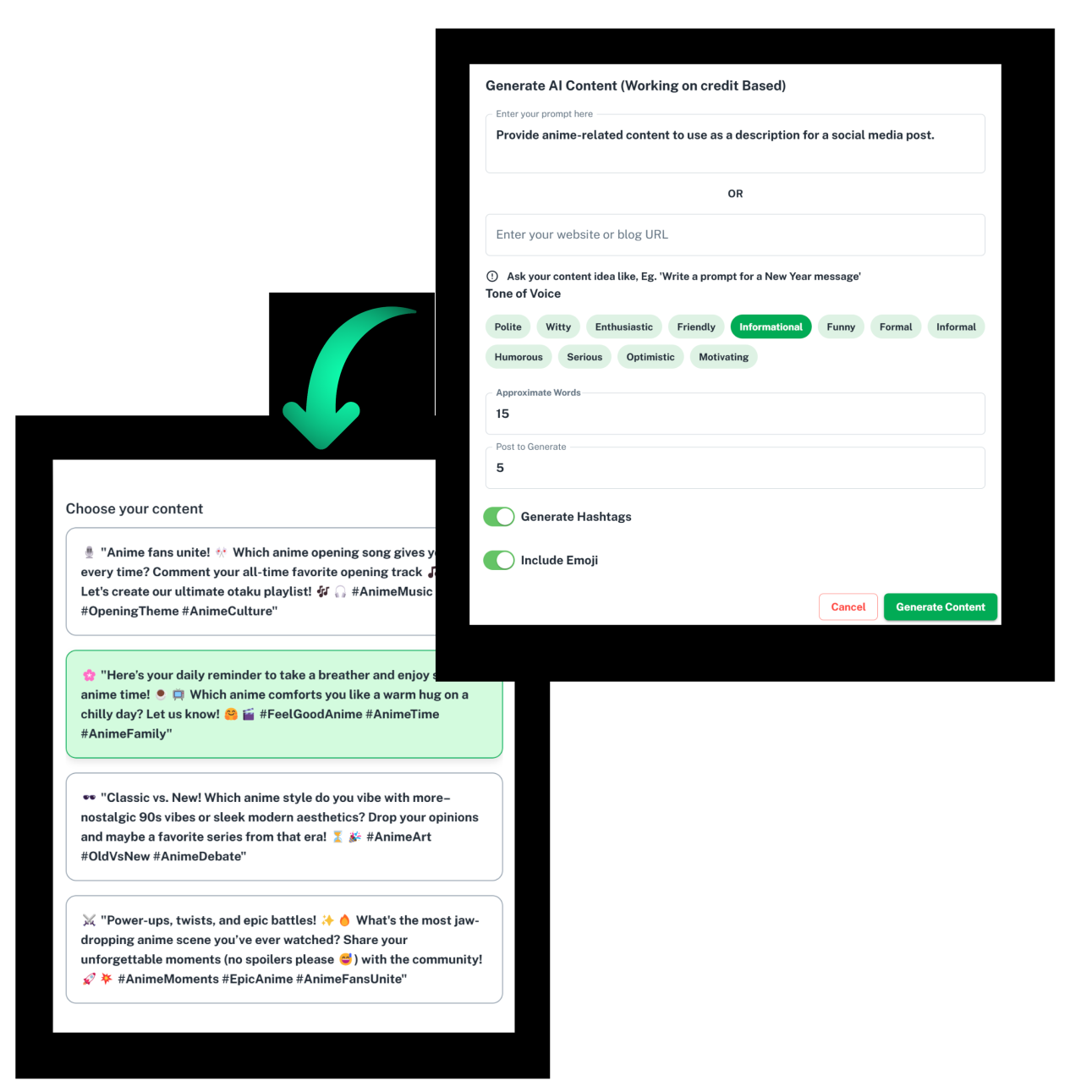
CREATE SMARTER, POST FASTER
Harness the power of AI to generate engaging, high-quality content for every social media platform. Save time and boost your online presence with posts tailored to your audience and brand voice.
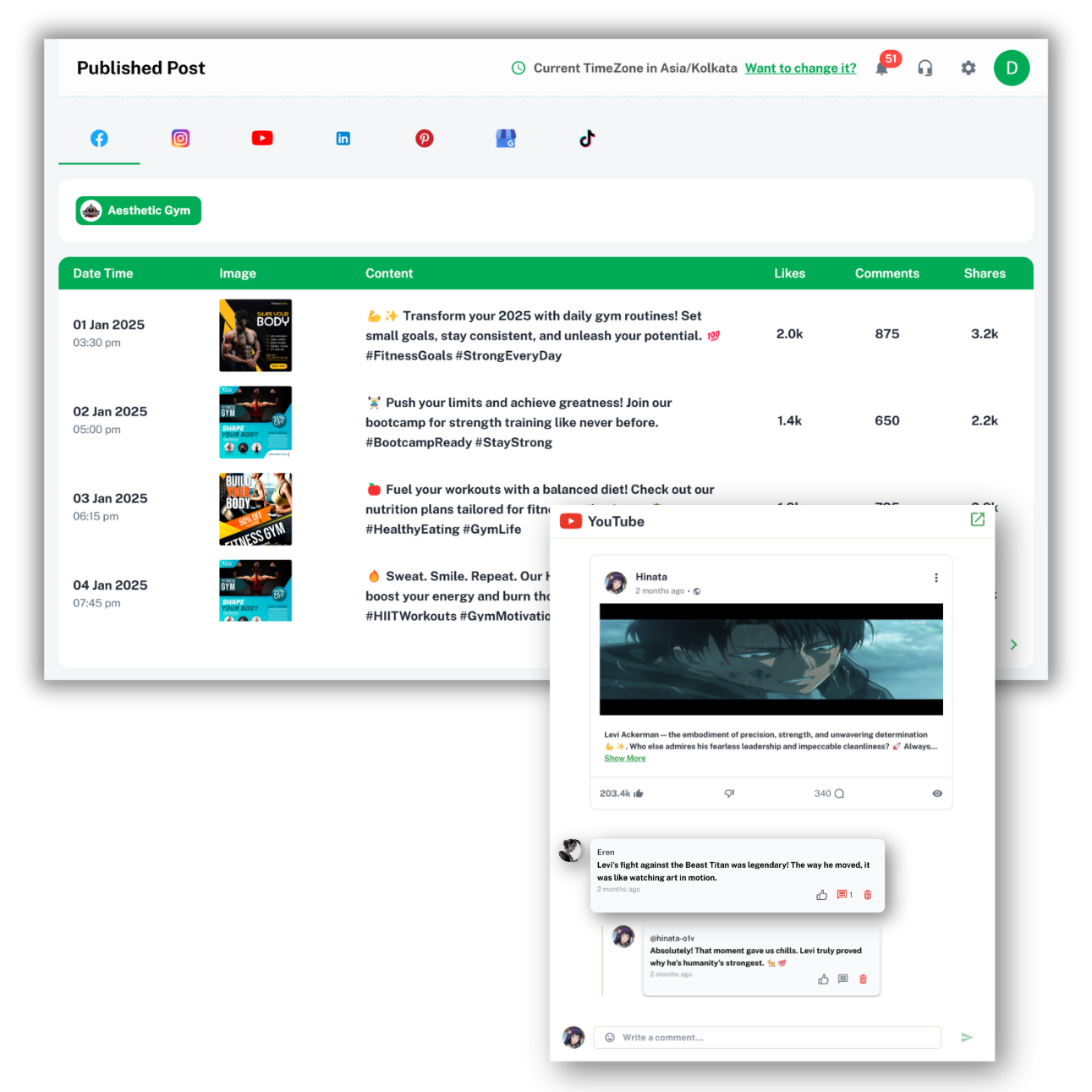
STAY CONNECTED AND IN CONTROL
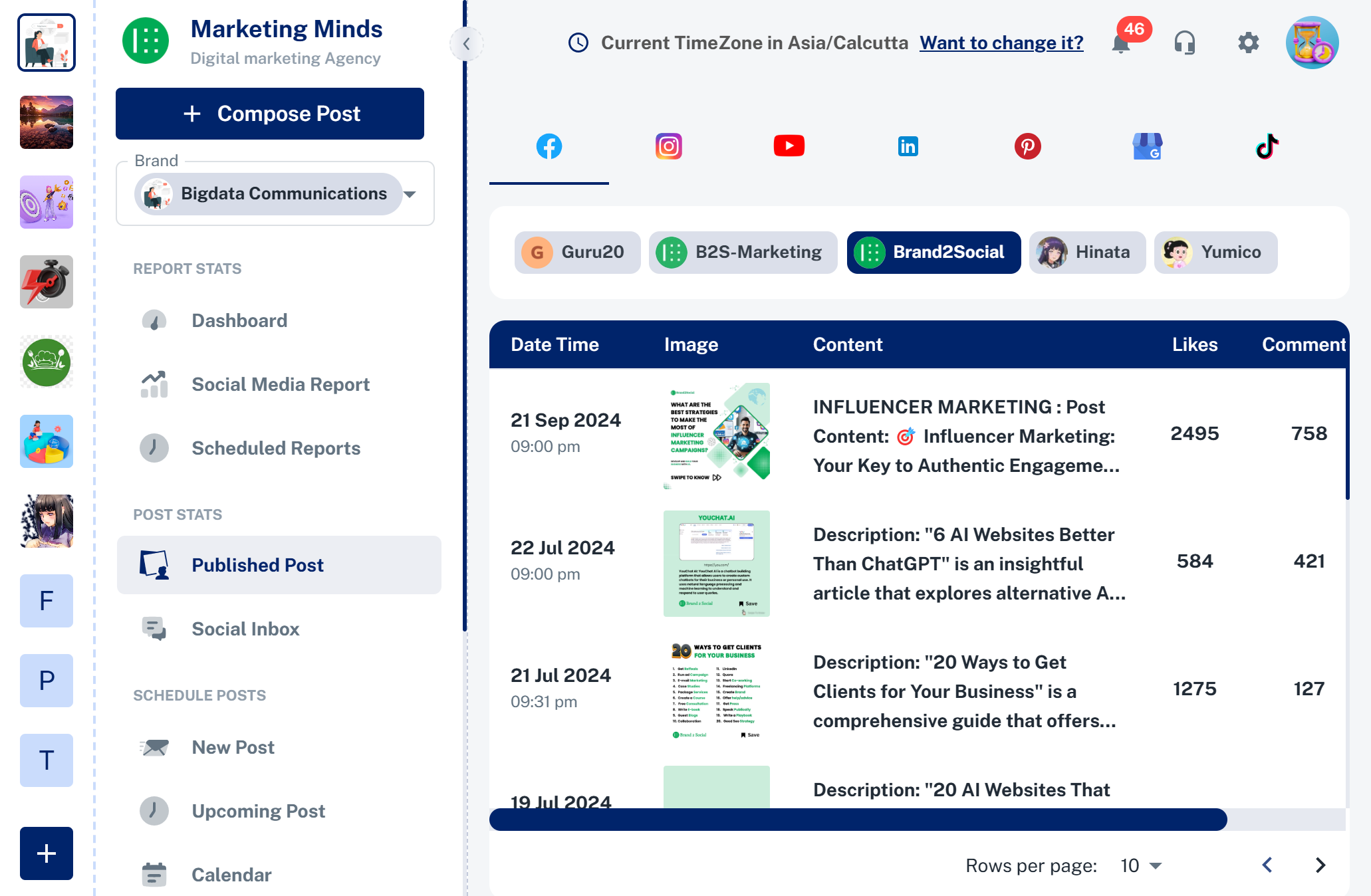
Keep track of all your published posts across every social media platform in one place. Engage with your audience by liking, commenting, or reacting to their comments, and preview every post with a quick redirection to the original platform.
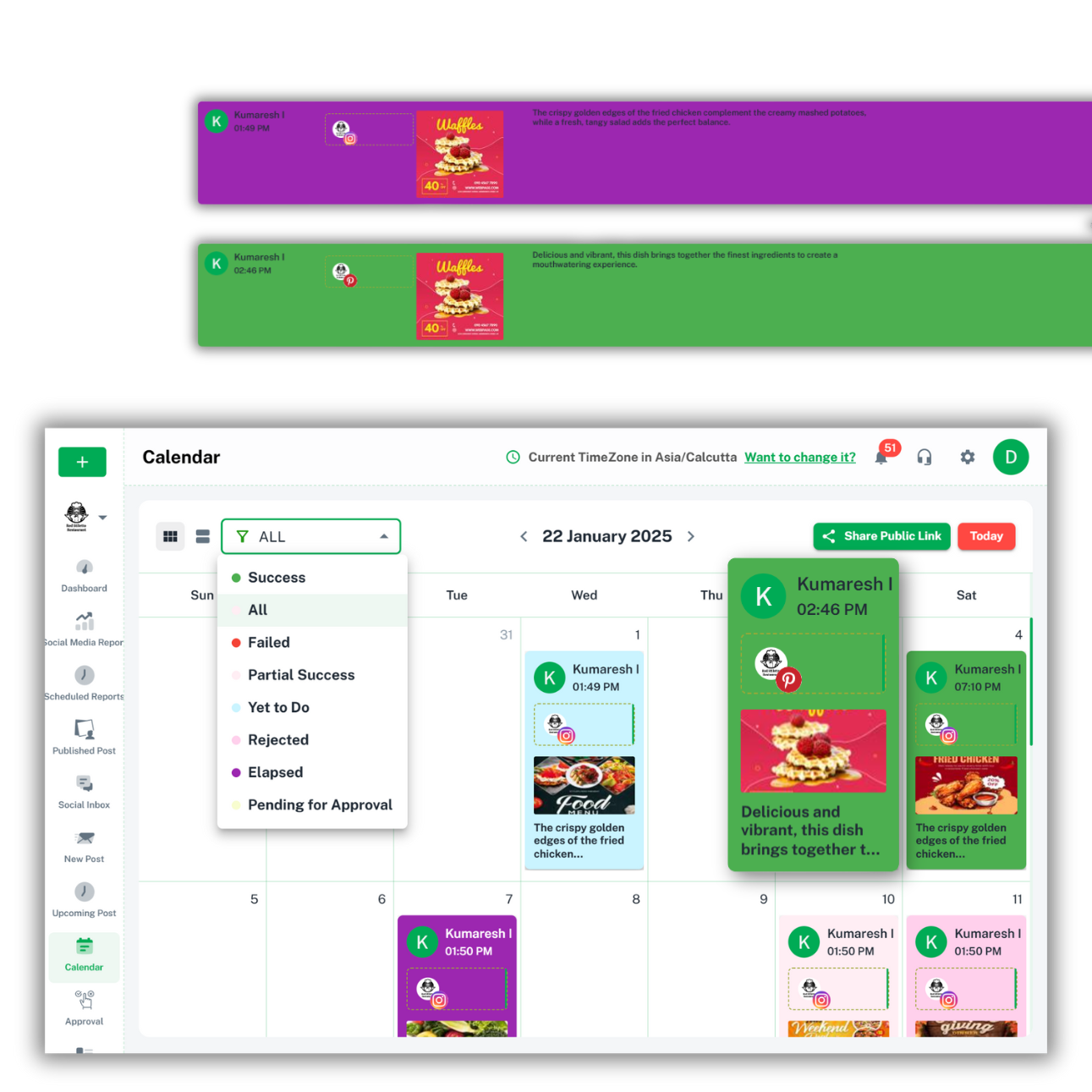
PLAN, TRACK, AND MANAGE WITH EASE
Use a powerful calendar to view all your social media posts in one place. Easily track the status of each post whether published, failed, or pending identified by color-coded labels for quick recognition.
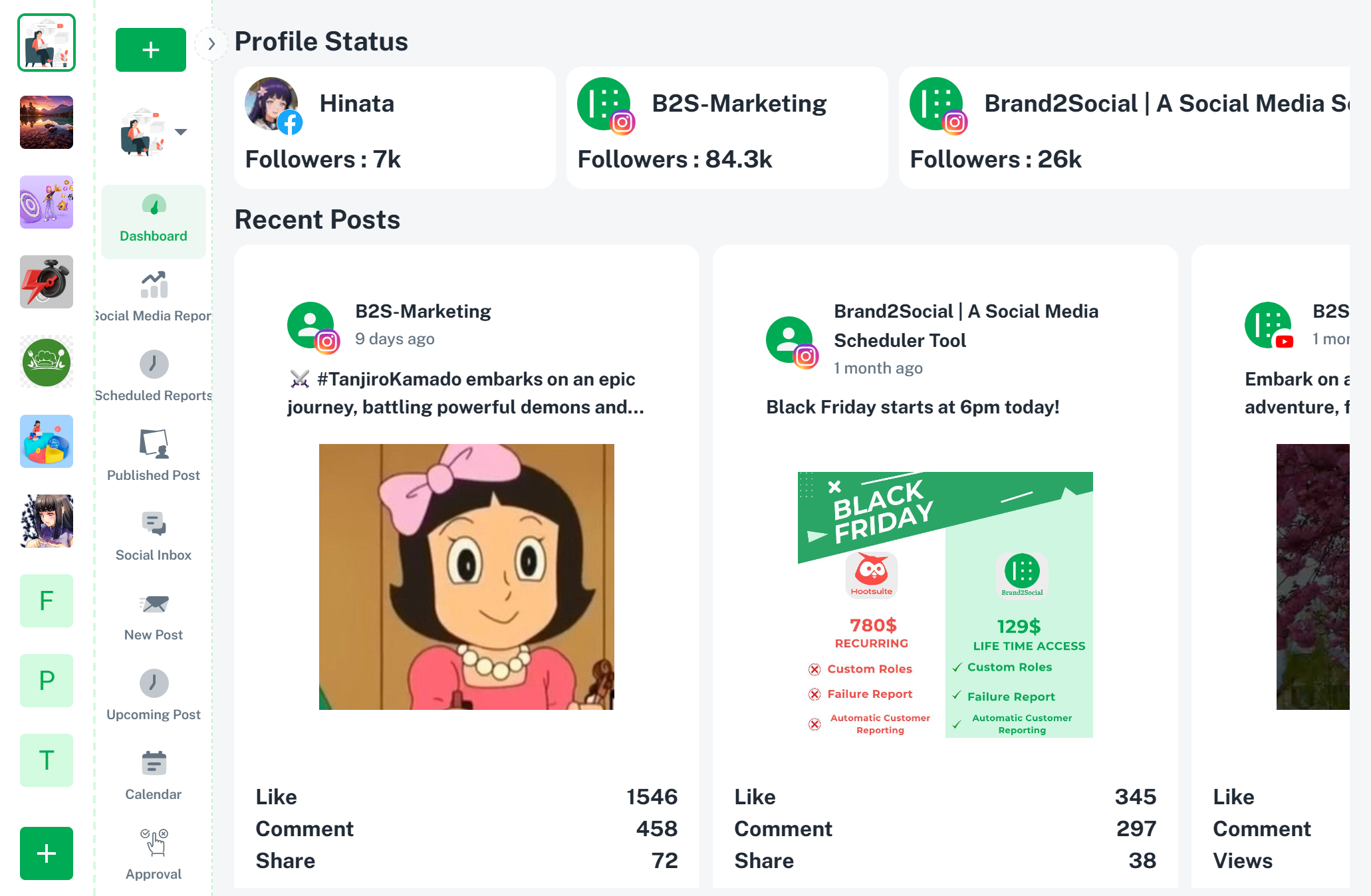
OVERVIEW AT A GLANCE
Access all your recent posts and follower stats across connected social profiles in one easy-to-navigate dashboard. Stay updated and track your performance without switching between platforms.
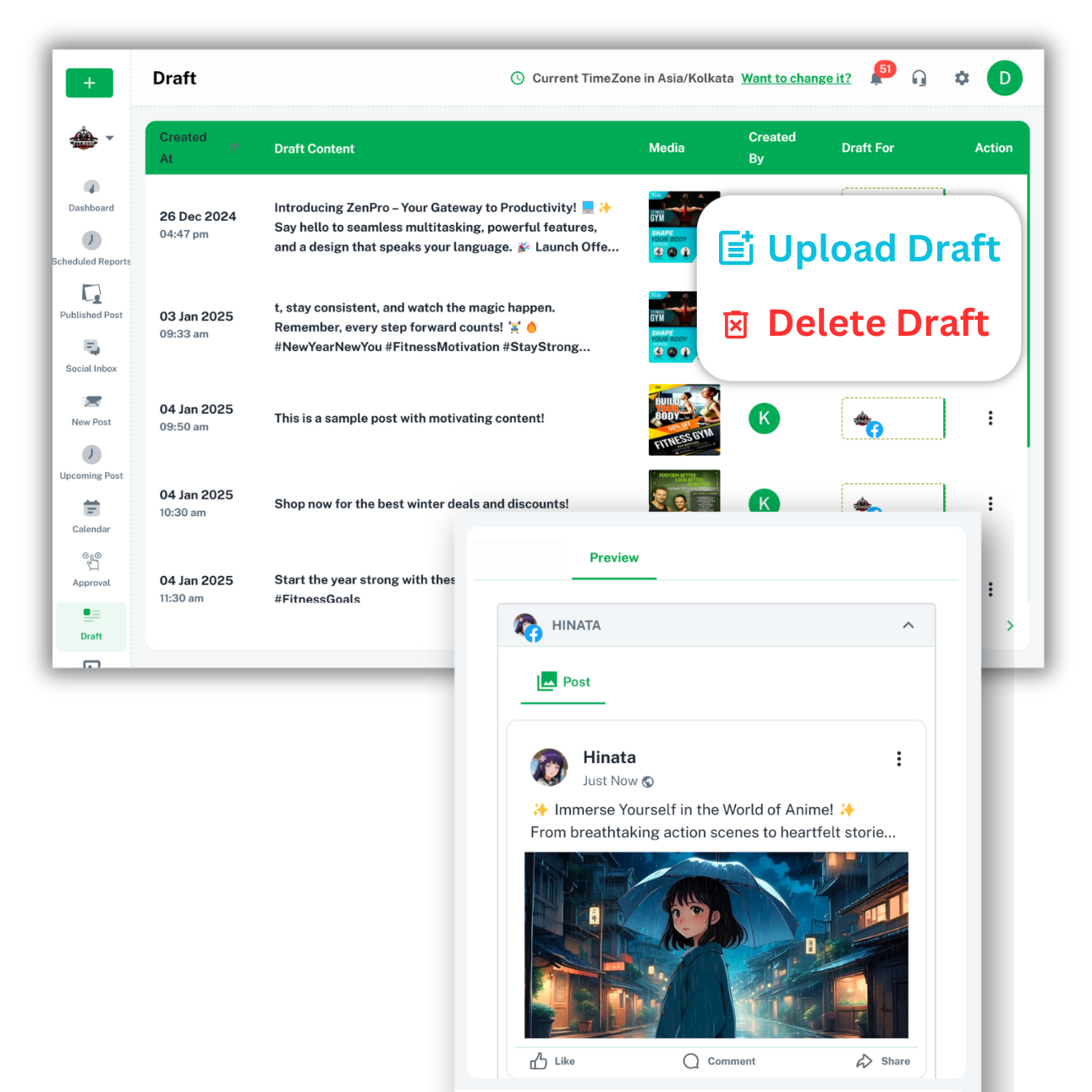
PLAN NOW, POST LATER
Create and save draft posts to streamline your workflow. Store templates for future use, saving time and ensuring consistent messaging across your social media platforms.
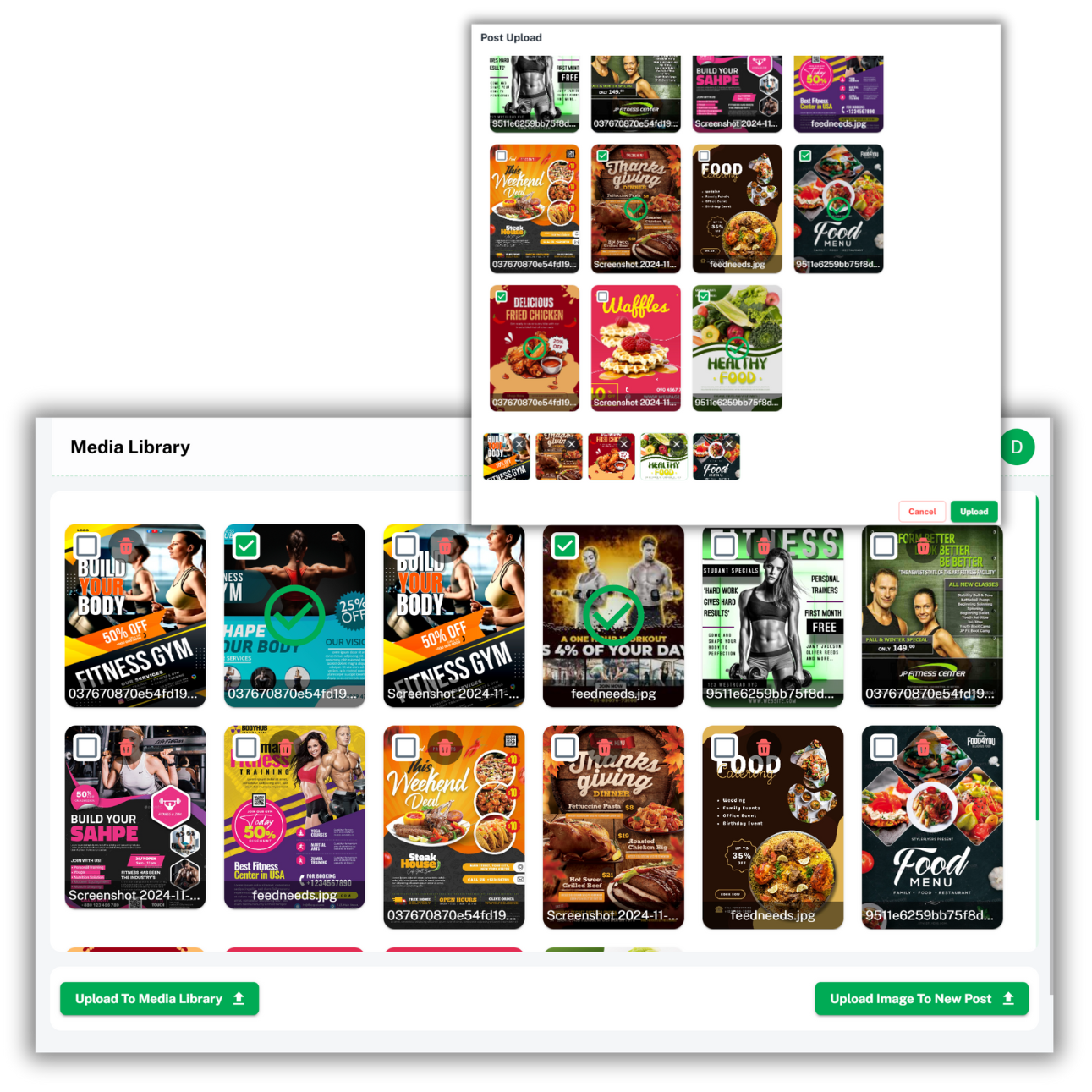
STORE, ORGANIZE, AND REUSE WITH EASE
Keep all your published media files in one place with a robust media library. Store, organize, and reuse images, videos, and other media files for future posts or campaigns effortlessly.
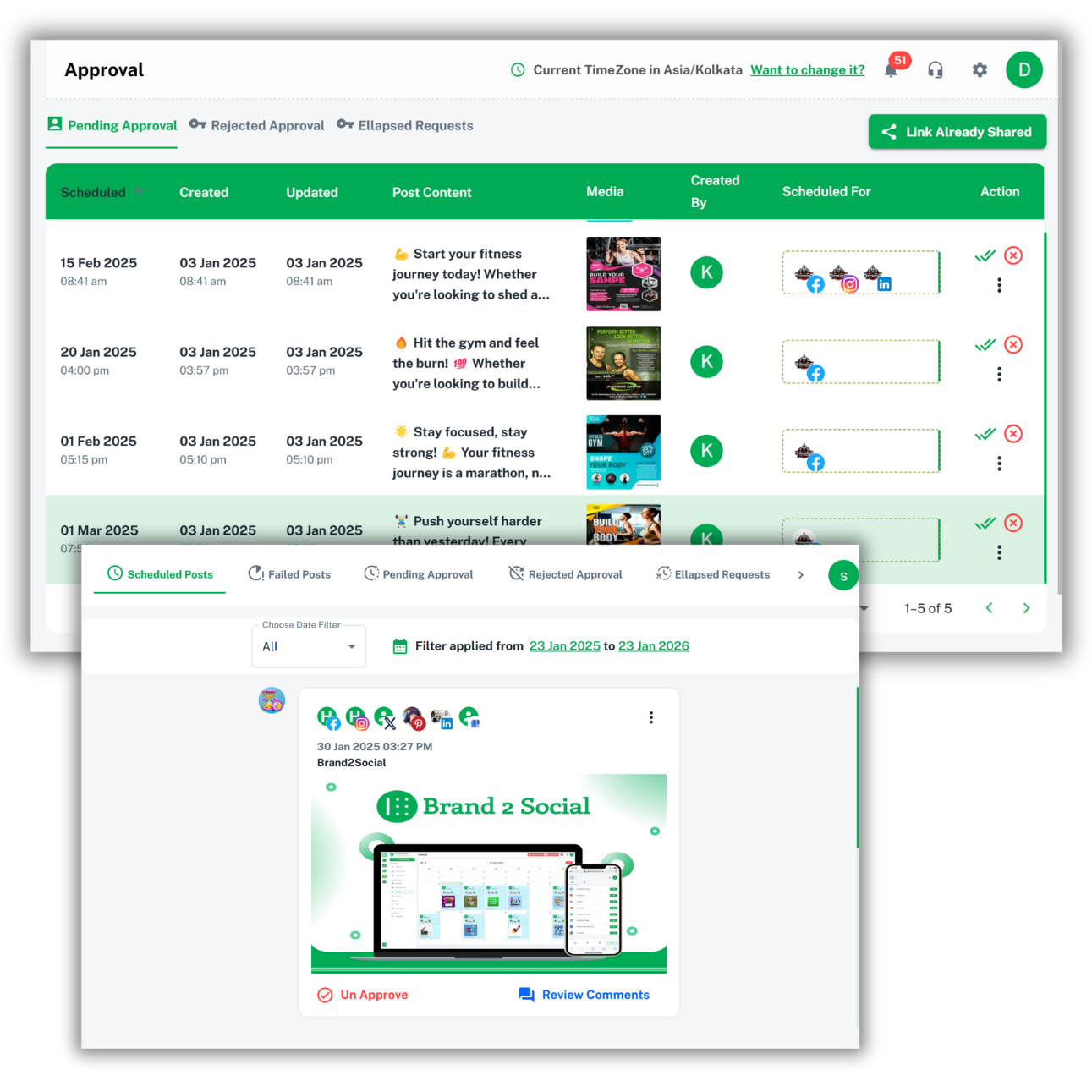
COLLABORATE AND APPROVE EFFORTLESSLY
Simplify your content approval process with a structured workflow that allows multiple users to submit posts for approval. Admins can review, approve, or request changes before content is added to the scheduled posts, ensuring consistency and quality across your social media channels.
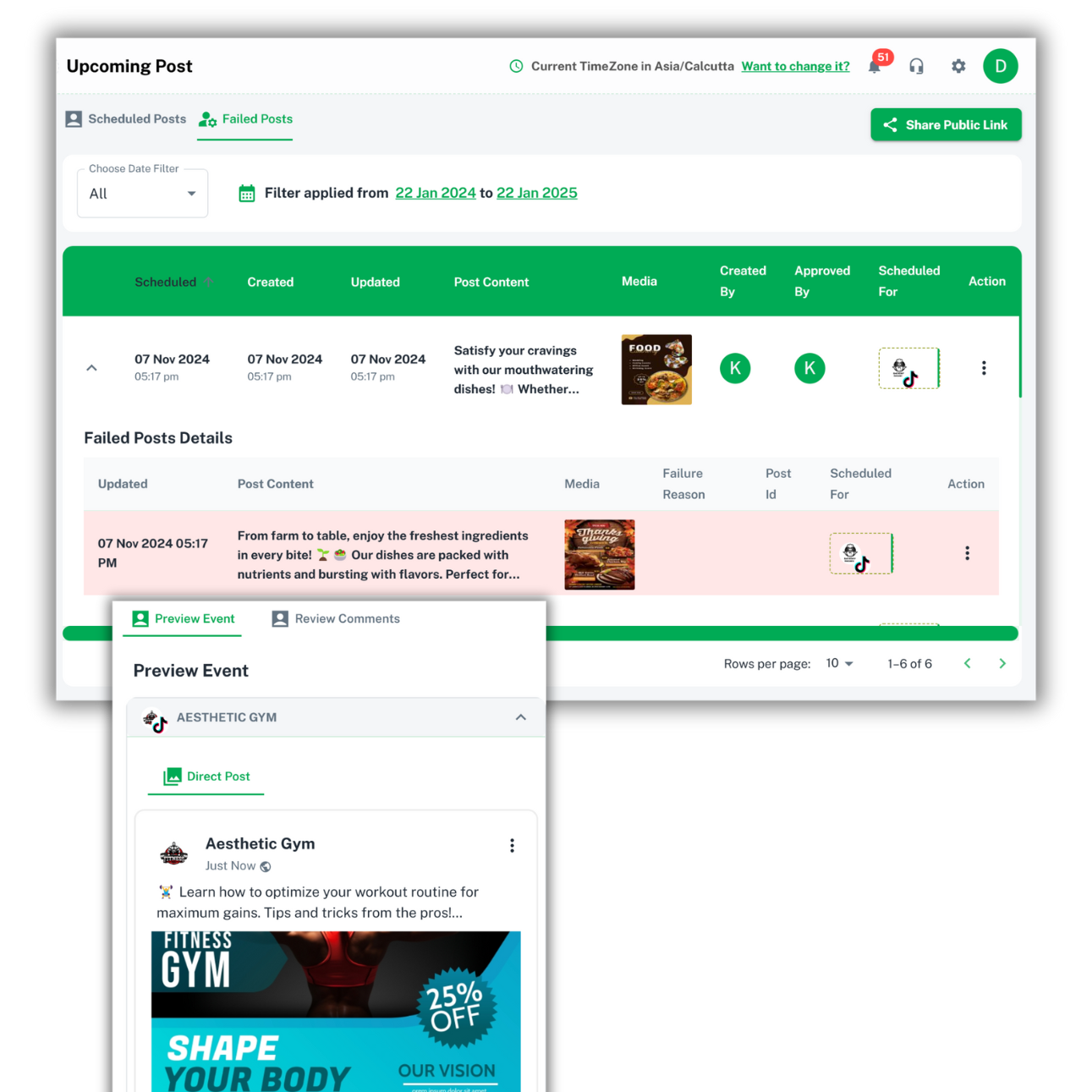
IDENTIFY, TROUBLESHOOT, AND RESCHEDULE
Track and manage posts that failed to publish on specific social media platforms. Our failed posts page lets you see why the posts didn’t go live, so you can easily troubleshoot and retry the posts for successful publishing.
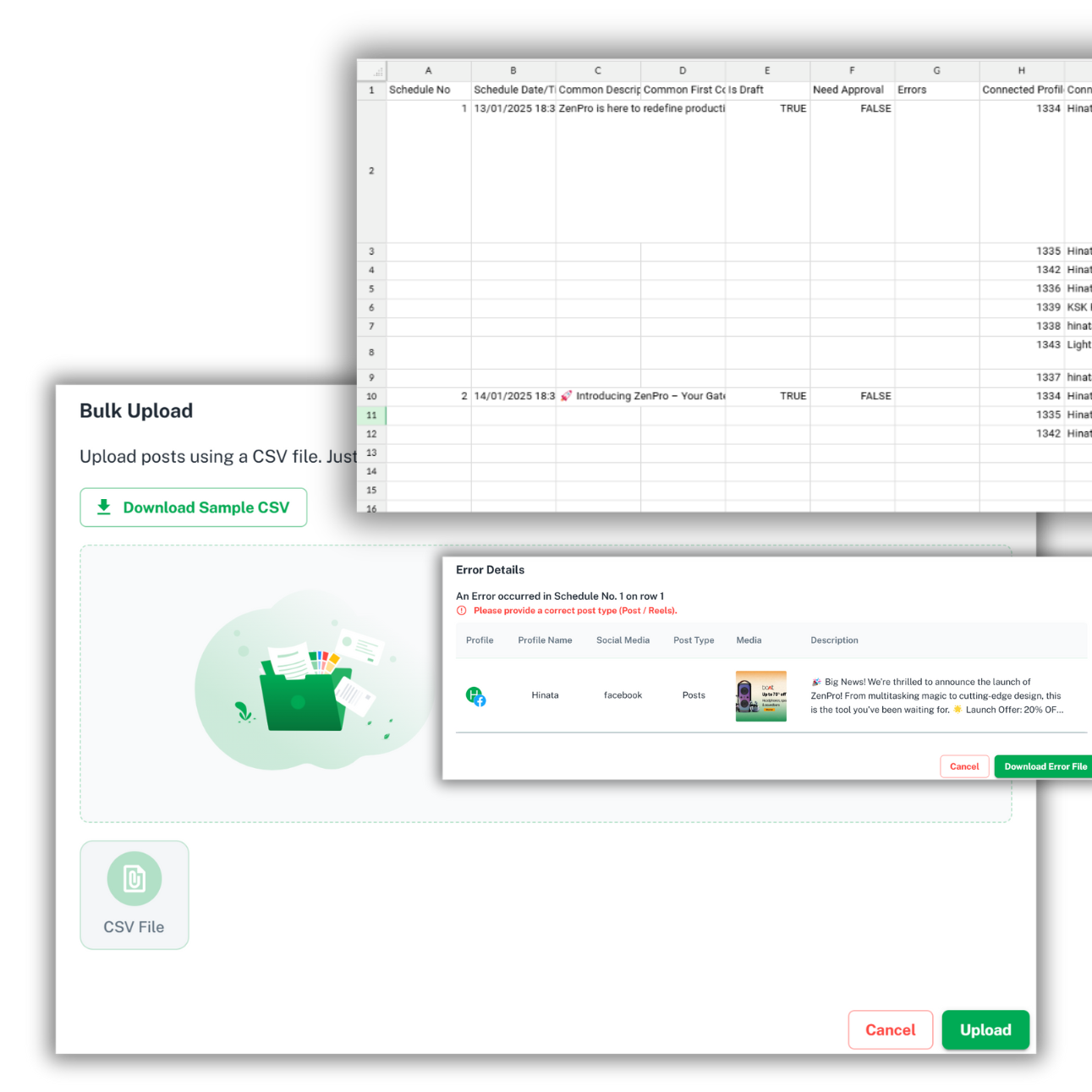
UPLOAD AND POST IN BULK WITH EASE
Save time by uploading multiple posts at once using a simple CSV file. Our bulk upload feature allows you to schedule and publish large volumes of content across social platforms without manual entry, streamlining your workflow.
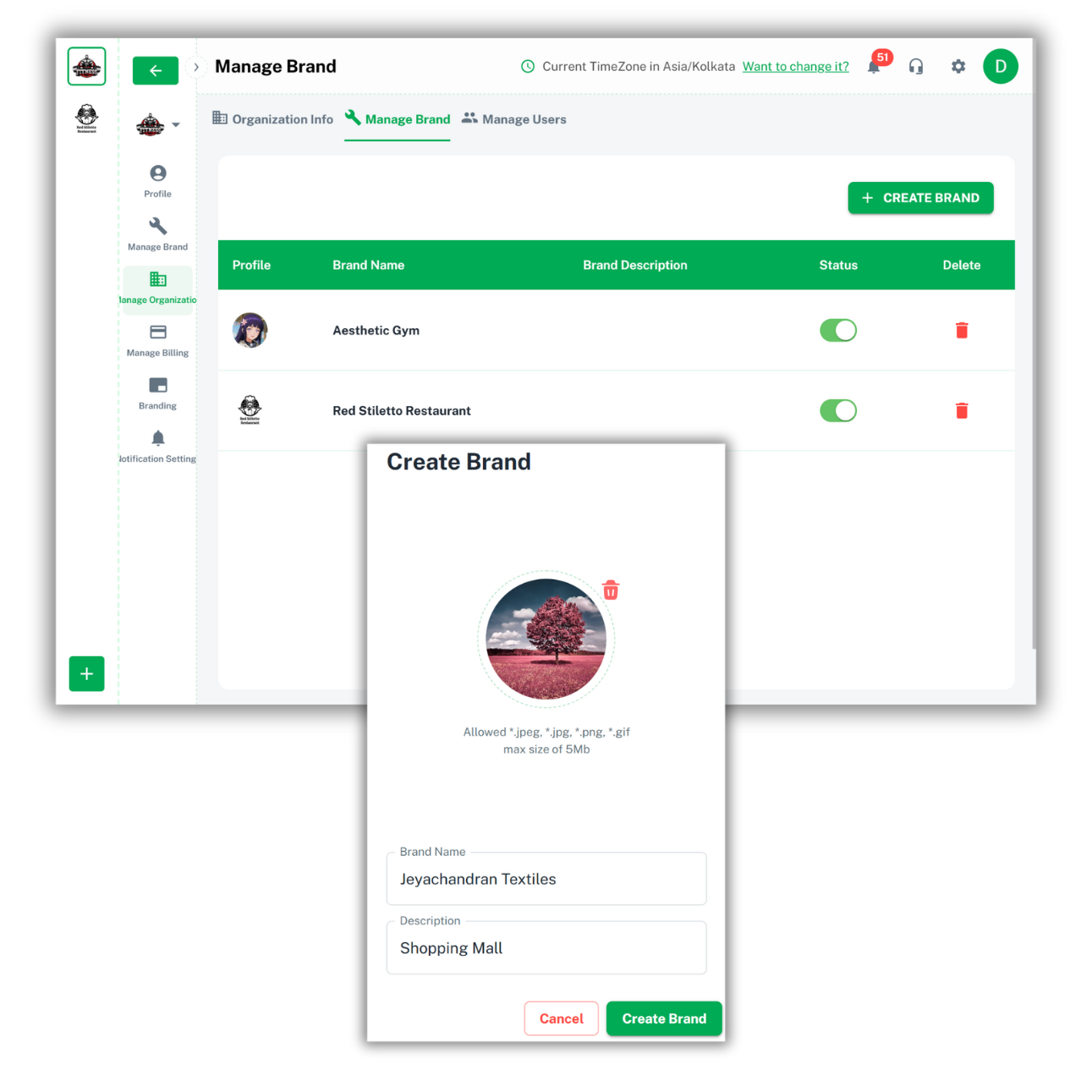
SIMPLIFY BRAND MANAGEMENT, STREAMLINE YOUR WORKFLOW
Seamlessly manage social media accounts for multiple clients or brands from a single platform. Easily switch between different brand profiles to handle posts, analytics, and interactions, saving time and effort in managing multiple social accounts.
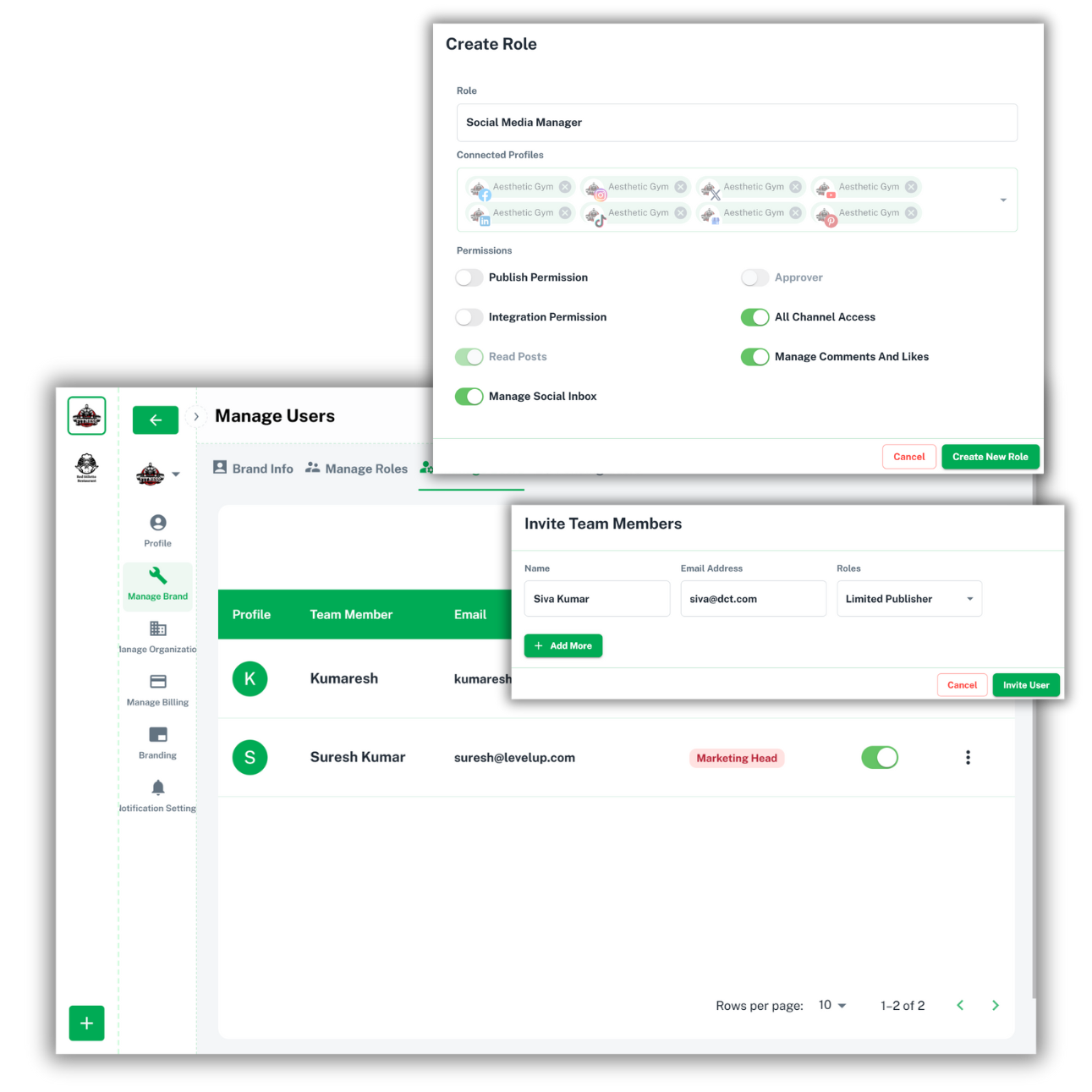
CONTROL ACCESS, EMPOWER YOUR TEAM
Assign custom roles to team members, giving them specific permissions to manage social media accounts based on their responsibilities. Whether you're an admin, post contributor, or anything in between, tailor access to suit your team's needs.
MAKE IT YOUR OWN, SHOWCASE YOUR BRAND
Personalize the platform to reflect your agency's identity by customizing the application with your agency name, logo, and theme colors. With domain mapping, you can link the platform to your organization's URL, offering clients a seamless branded experience that feels uniquely yours.
Financial blog tips and tricks
Jaisingh Pedhuru
Apr 5, 2026
Support teams in 2026 are not struggling with a shortage of capable people — …

Jaisingh Pedhuru
Apr 1, 2026
Customer expectations have shifted faster than most businesses have updated …

Jaisingh Pedhuru
Mar 25, 2026
Every business eventually faces the same question: should we invest in live …
FAQ’S
Deliver faster, more personal support with Brand2Chat's branded live chat start building customer trust today.
Get Started TodayNo Credit Card Required
Free For 15 Day Trial
SIMPLIFY YOUR COMMUNICATION
Centralize Your Conversations with a Unified Social Inbox
Handle messages, comments, and mentions from multiple social media platforms in one inbox. Stay organized and never miss an important conversation.