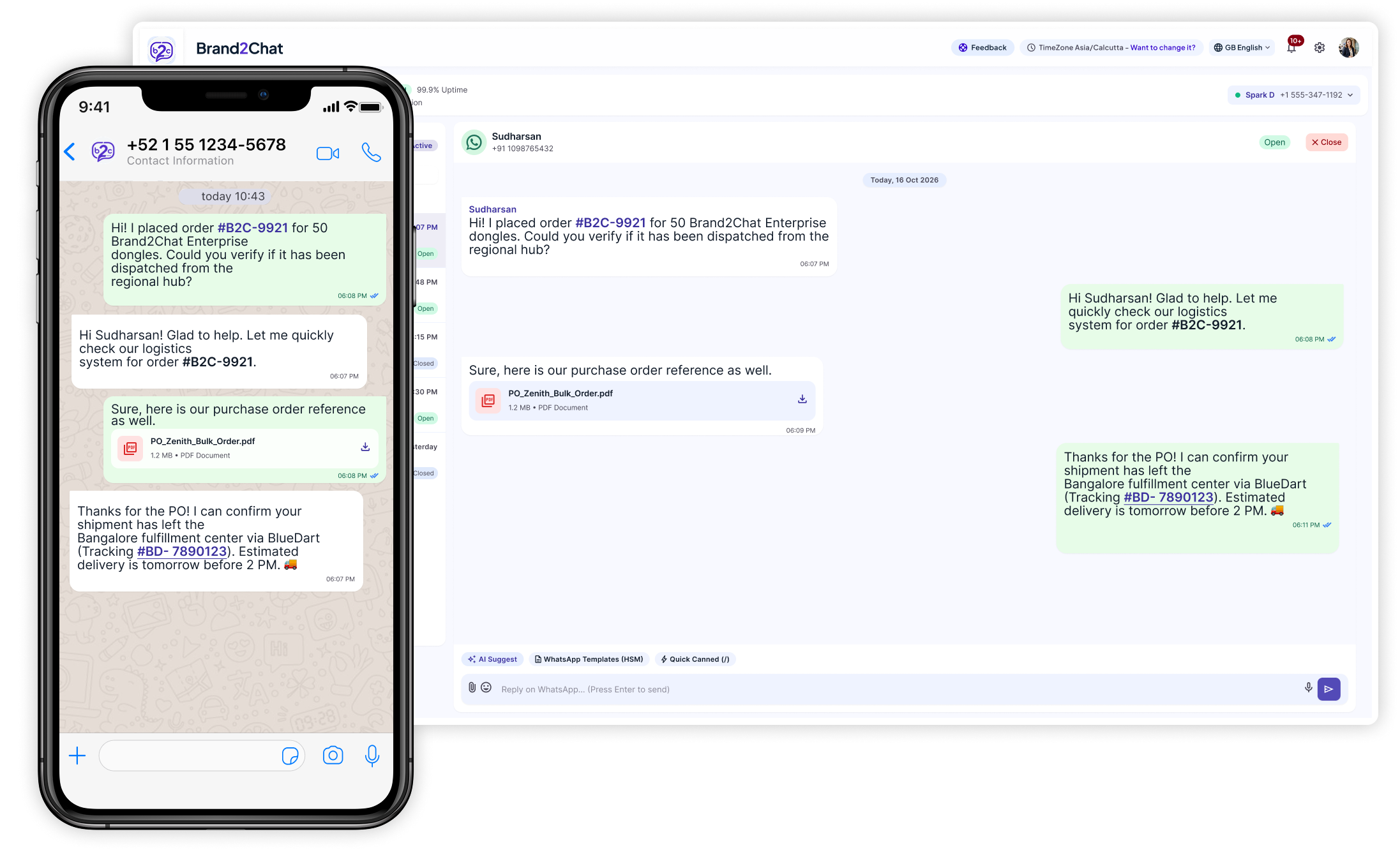
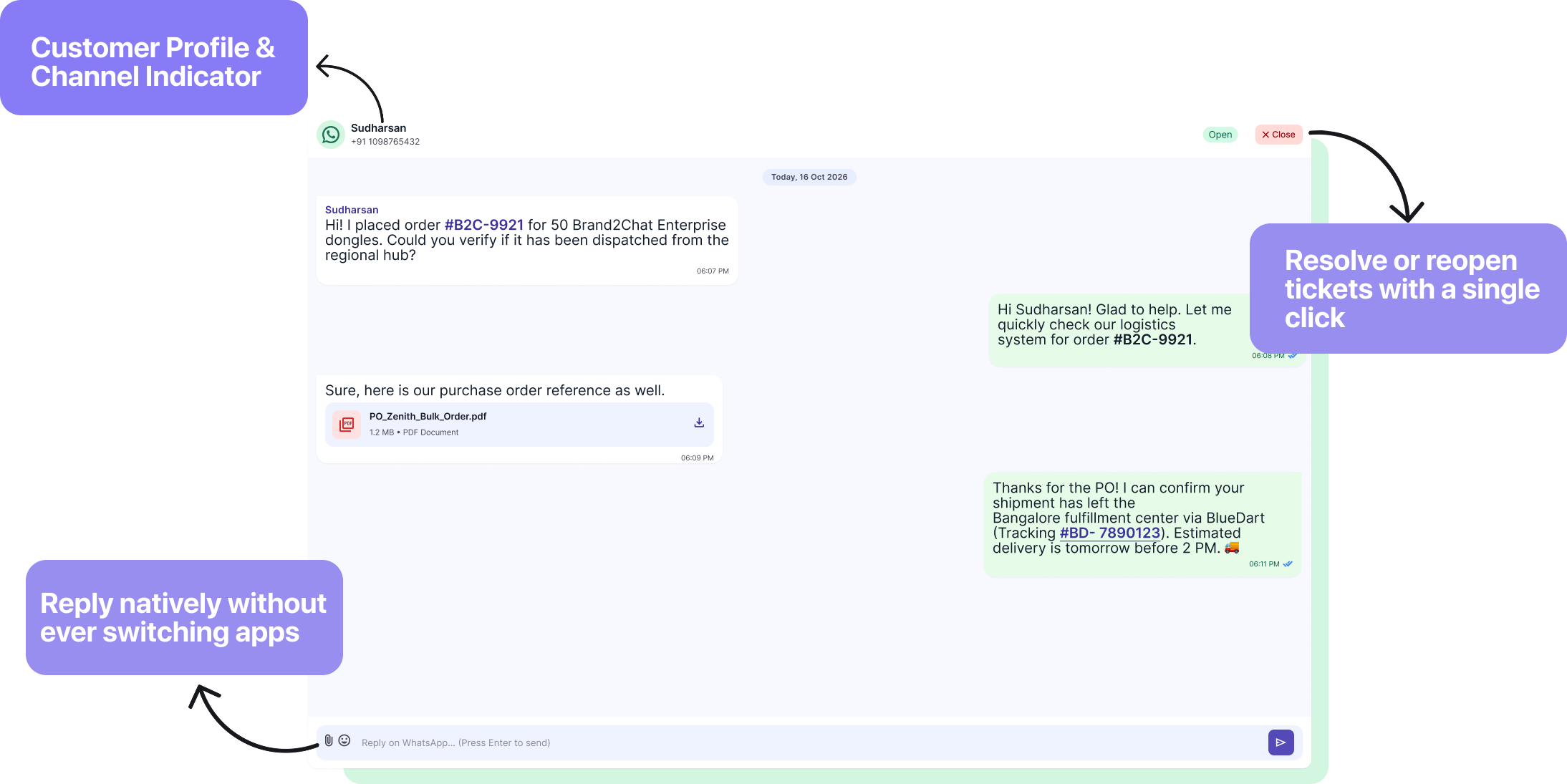
See who you are helping, read their messages, and reply directly from your dashboard. Keep the customer's details and conversation status in view without switching between apps.
✓Identify the customer and their WhatsApp channel
✓Reply directly from the conversation
✓Close resolved conversations or reopen them for follow-up
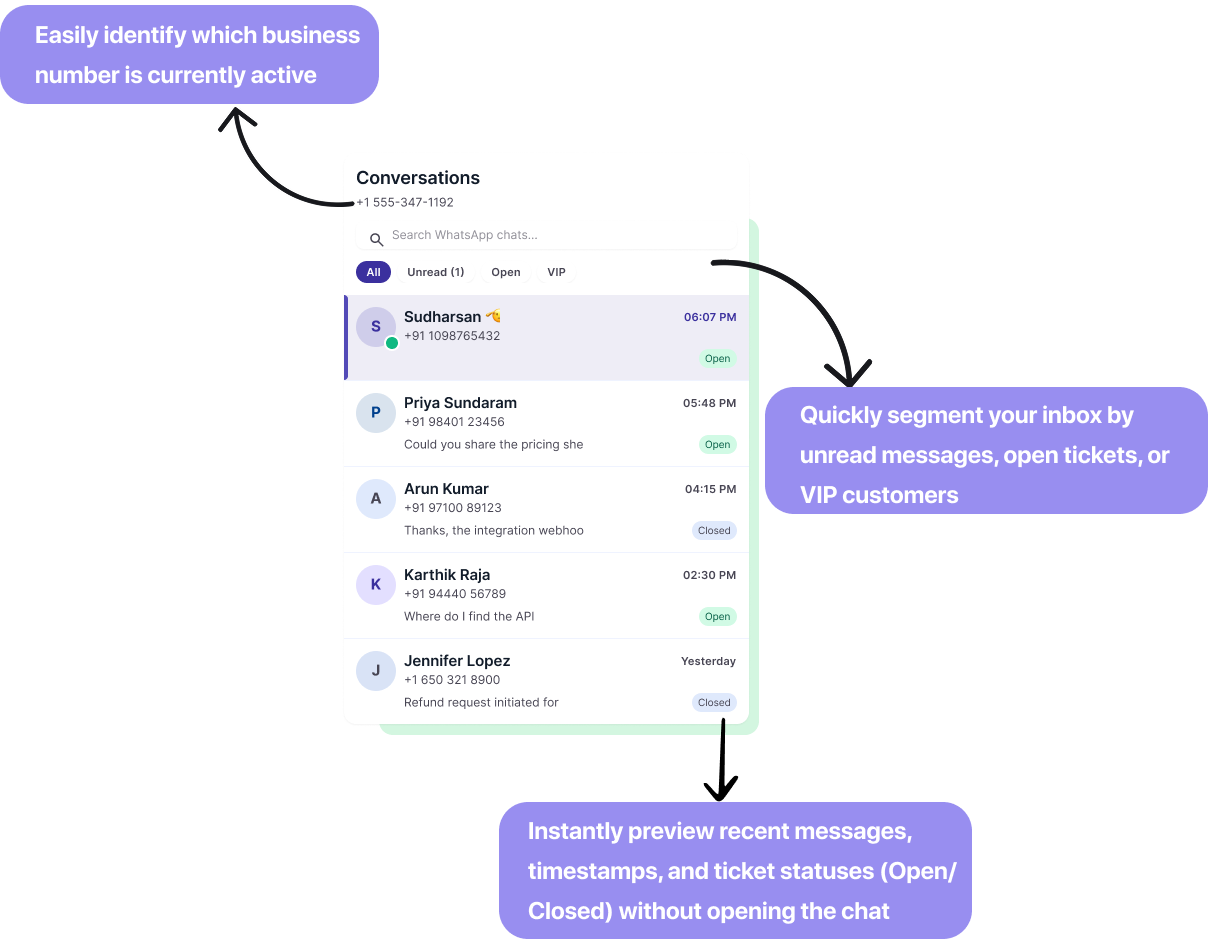
See the active business number and find the right WhatsApp chat with search and inbox filters. Preview recent messages and their status before opening a conversation.
✓Filter by All, Unread, Open, or VIP
✓Preview messages, timestamps, and Open or Closed status
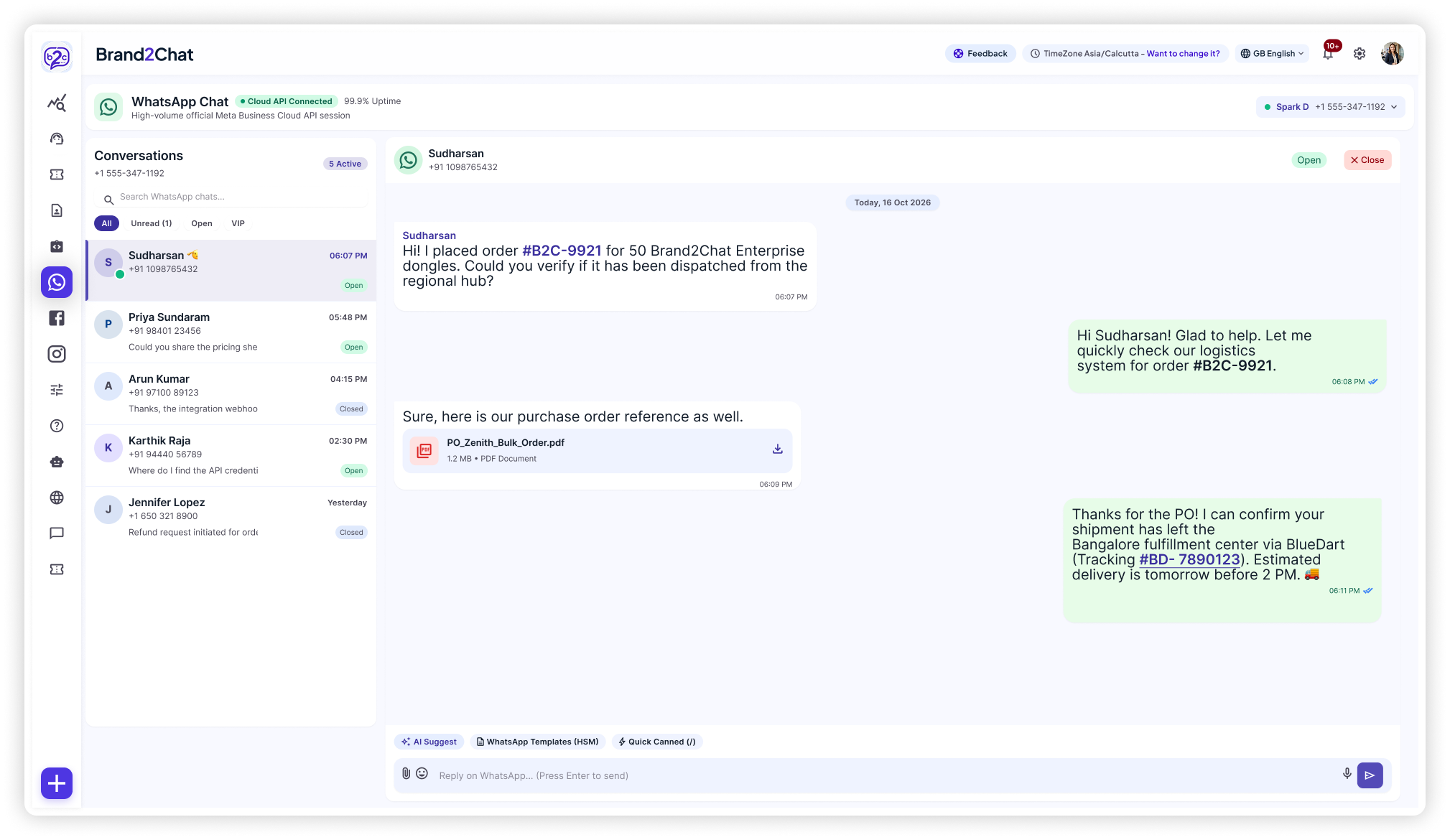
View your conversation list and the selected chat together. Review earlier messages and shared files, then use the reply tools in the same workspace to keep the discussion moving.
✓Review message history and shared documents
✓Access AI Suggest, WhatsApp Templates, and Quick Canned replies
✓Write and send replies from the WhatsApp workspace
Open Integrations and choose Connect Facebook. In the Meta popup, select your registered WhatsApp Business profile and phone number, then review and grant the required permissions. After authorization, open Integrated Accounts and check that your number has an Active status.
Can I reply to WhatsApp messages from Brand2Chat?
Yes. Open WhatsApp Chat in your Brand2Chat workspace, select the conversation, and send your reply. The customer receives it in their WhatsApp app, so you can manage the conversation from your dashboard.
How can I test the connection?
Copy the generated WhatsApp Chat link and open it in a new browser tab. Send a test message to your business, check that it appears in WhatsApp Chat, and reply from Brand2Chat to confirm that messages reach both sides.
How do I find unread messages or open conversations?
Use the All, Unread, Open, and VIP filters in the WhatsApp conversation list. You can also search your chats and preview recent messages, timestamps, and conversation statuses before opening a chat.
Can I close a conversation and reopen it later?
Yes. Close the conversation when the issue is resolved, and reopen it when you need to follow up. The conversation controls sit alongside the customer's details in the chat view.
Can I try Brand2Chat before subscribing?
Yes. Brand2Chat offers a free 15-day trial with no credit card required. Use the signup links on this page to get started.
Make your next WhatsApp reply a helpful one.
Bring your customer conversations and your team together with Brand2Chat.