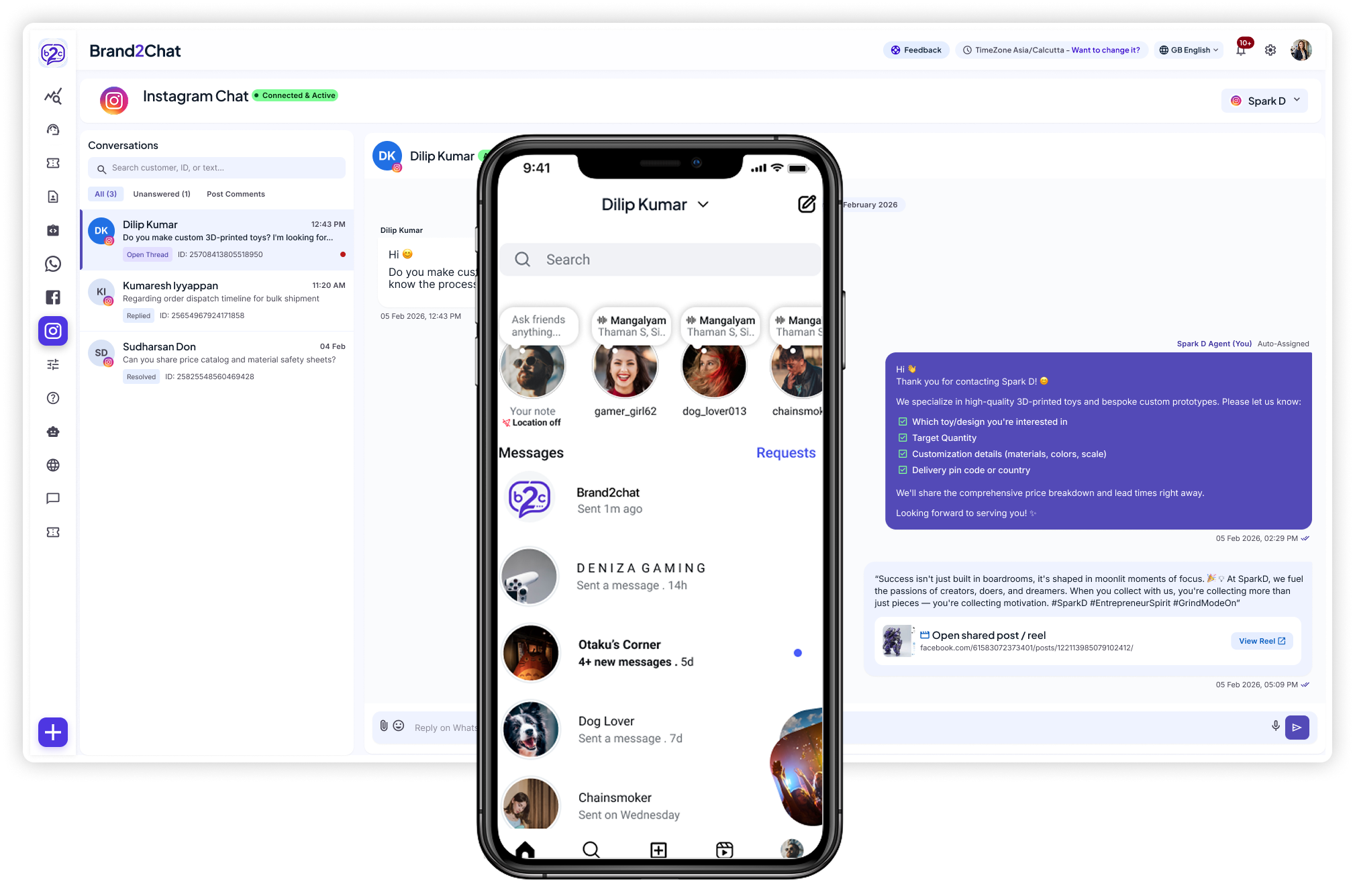
Turn interest into a helpful conversation. Manage Instagram messages in Brand2Chat so your team can answer questions and keep every customer in the loop.
Set up your workspace, connect your Instagram account, and get ready to help customers through their DMs.
1
Create your workspace
Sign up for Brand2Chat and set up a workspace for your business. Start with a free 15-day trial, with no credit card required.
2
Connect Instagram
Open Integrations and follow the Instagram connection prompts. Select the account you use for your business, then review and grant the requested permissions.
3
Send a test DM
Send your business a direct message from another Instagram account. Check that the conversation appears in your Brand2Chat workspace.
4
Reply from Brand2Chat
Open the conversation and send a reply from your dashboard. Check that it arrives in Instagram, then bring your team in to help with customer questions.
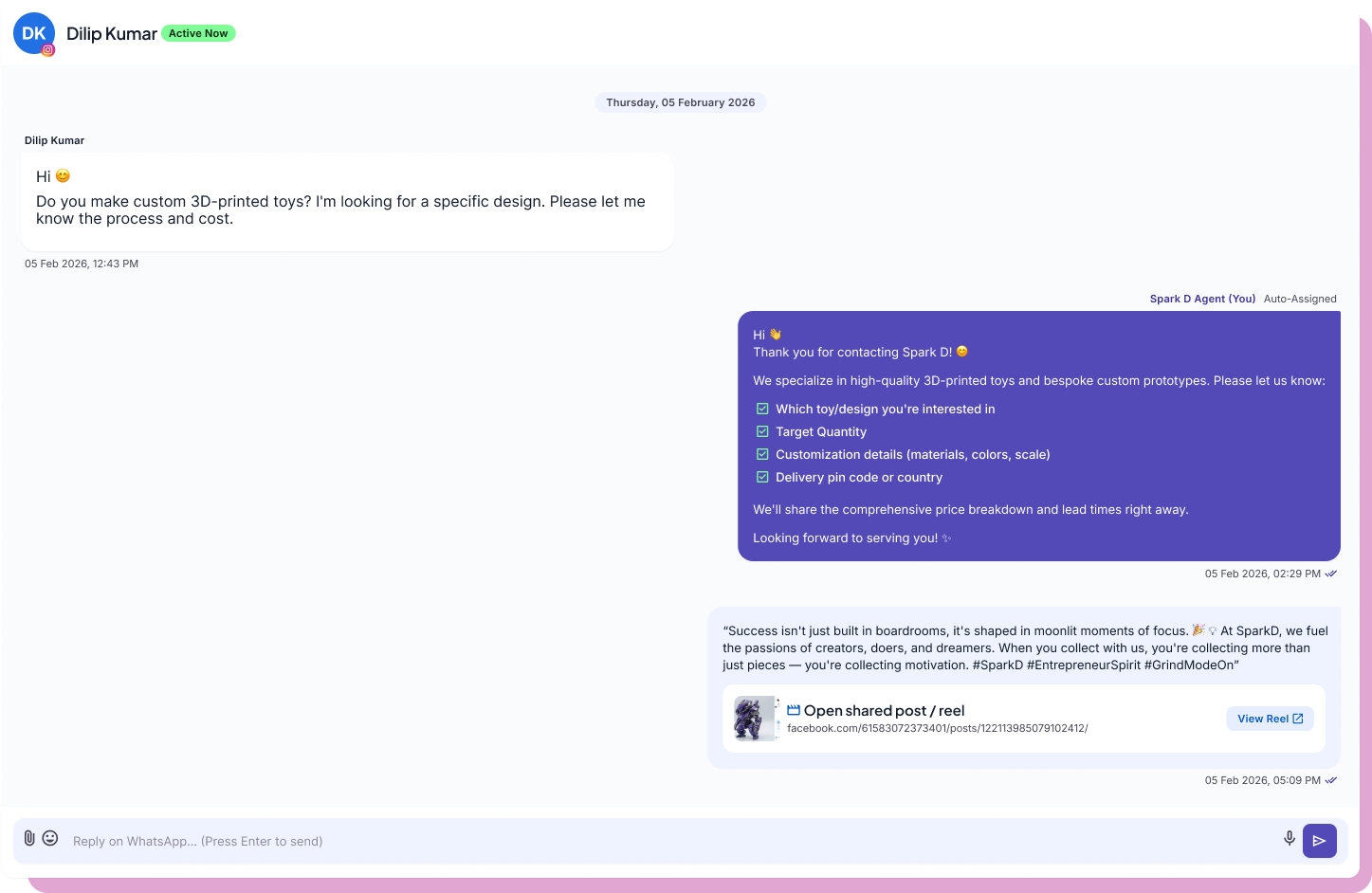
Read a customer's enquiry, review the conversation, and reply directly from Brand2Chat. Keep shared posts and reels alongside the messages so your team can understand the question and give a more useful answer.
✓Read customer messages and agent replies together
✓See shared posts and reels within the conversation
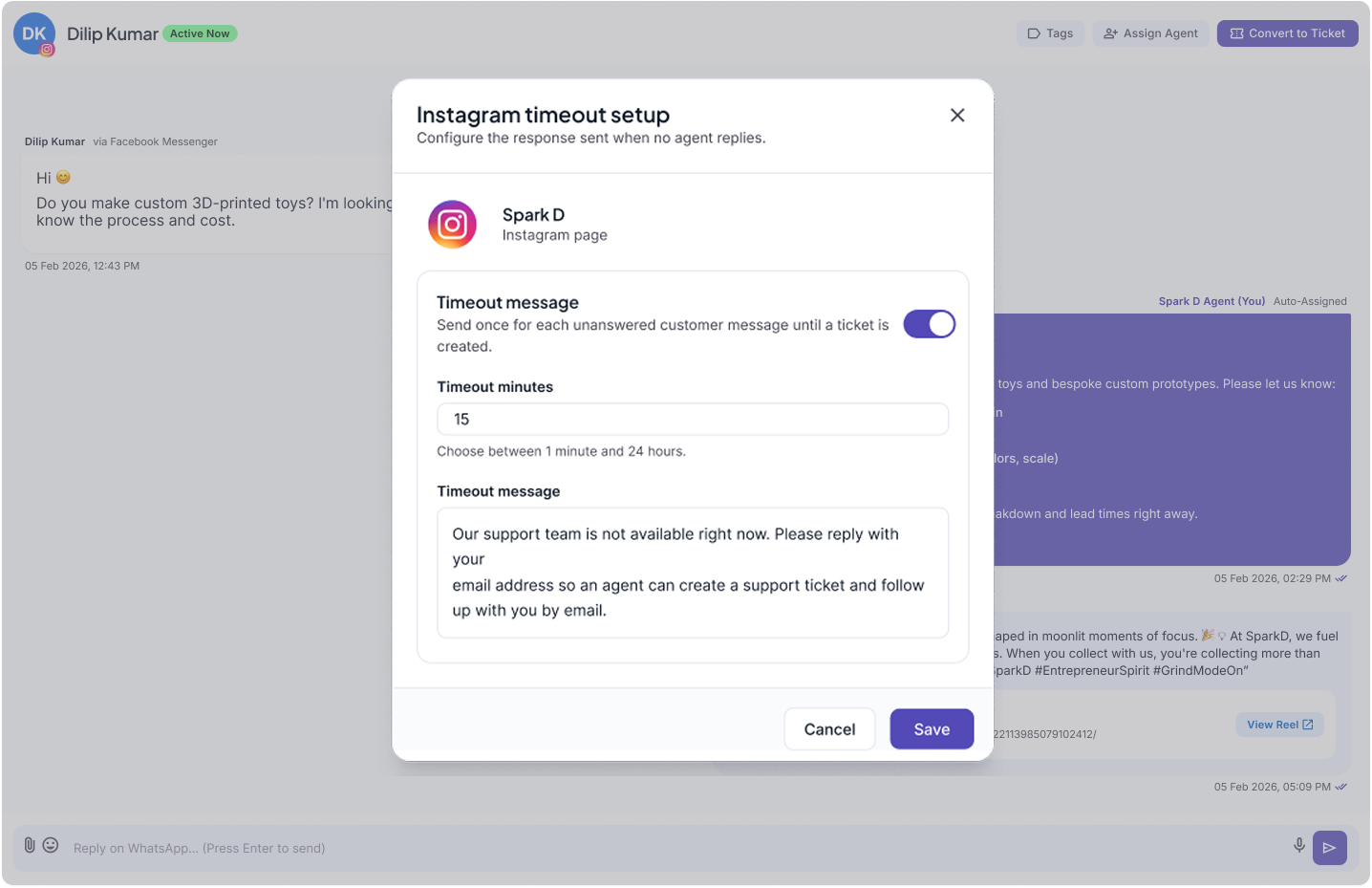
Let customers know the next step when your team cannot reply right away. Enable an Instagram timeout message, choose the waiting period, and write a response that sets expectations or asks for an email address for follow-up.
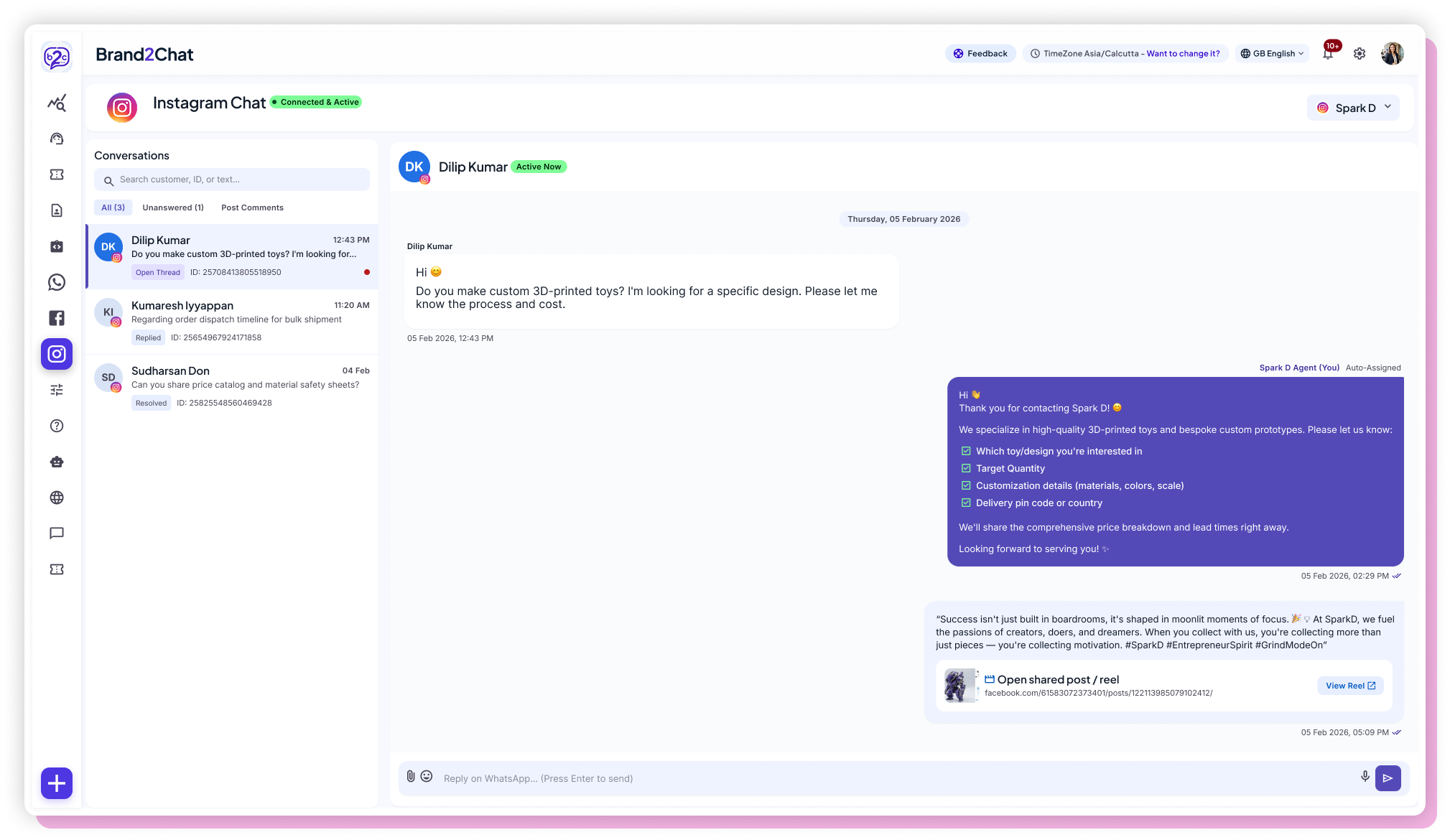
Keep your Instagram conversations together in Brand2Chat. Search for a customer or message, filter unanswered enquiries, and open a chat with its history ready to read so your team can decide what needs attention next.
✓Search conversations by customer, ID, or message text
✓Switch between All, Unanswered, and Post Comments
✓Review message previews and conversation statuses
Open Integrations in your Brand2Chat workspace and follow the Instagram connection prompts. Select the account you use for your business, review the requested permissions, and authorize the connection.
Can I reply to Instagram DMs from Brand2Chat?
Yes. Once your account is connected, open an Instagram conversation in Brand2Chat and reply from your dashboard. Your customer receives the reply in Instagram.
How can I check that my Instagram connection is working?
Send your business a direct message from another Instagram account. Look for the incoming conversation in Brand2Chat, send a reply, and check that it arrives in the sender's Instagram inbox.
Can my team manage Instagram conversations together?
Yes. Instagram messages appear in your shared Brand2Chat workspace, giving your team one place to read customer questions and continue the conversation.
Can I see earlier messages when a customer follows up?
You can review earlier messages in the conversation within Brand2Chat to understand what has already been discussed. This helps your team respond with context when a customer asks another question.
Can I try Brand2Chat for free?
Yes. You can start a free 15-day trial with no credit card required. Set up your workspace and connect Instagram to try managing your customer conversations in Brand2Chat.
Give your Instagram conversations more attention.
Bring your DMs and your team together for a more connected support experience.