Bring Facebook Messenger into Brand2Chat in four steps.
Set up your workspace, connect your Facebook Page, and get ready to reply to customers from Brand2Chat.
1
Create your workspace
Sign up for Brand2Chat and set up a workspace for your business. Start with a free 15-day trial, with no credit card required.
2
Connect your Facebook Page
Open Integrations and select 'Connect Facebook'. Follow the connection prompts to choose the Page you manage and review the requested permissions.
3
Test a Messenger chat
Send your Facebook Page a test message through Messenger. Check that the incoming conversation appears in your Brand2Chat workspace.
4
Reply from Brand2Chat
Open the conversation and send a reply from your dashboard. Check that it arrives in Messenger, then bring your team in to help with customer questions.
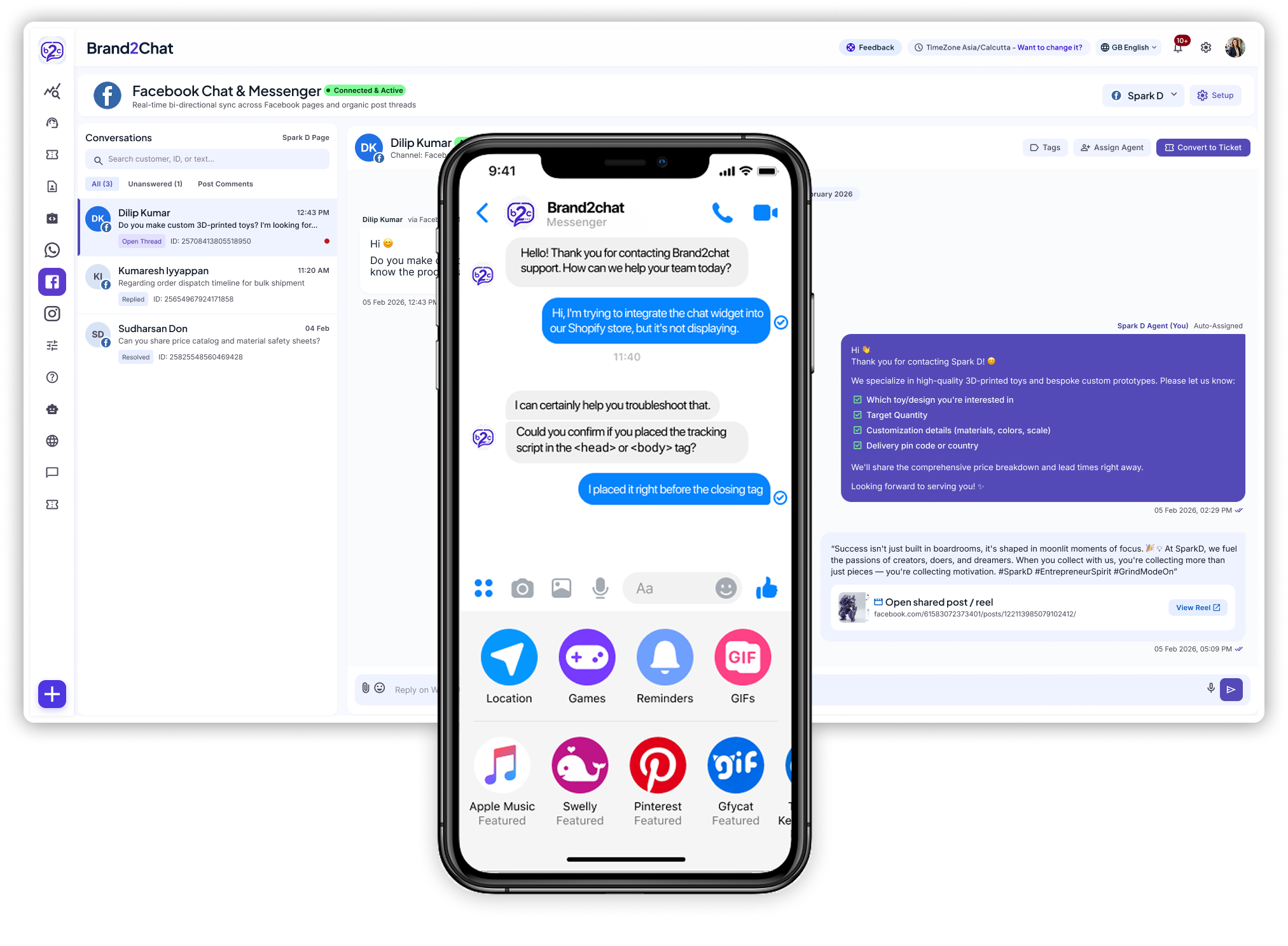
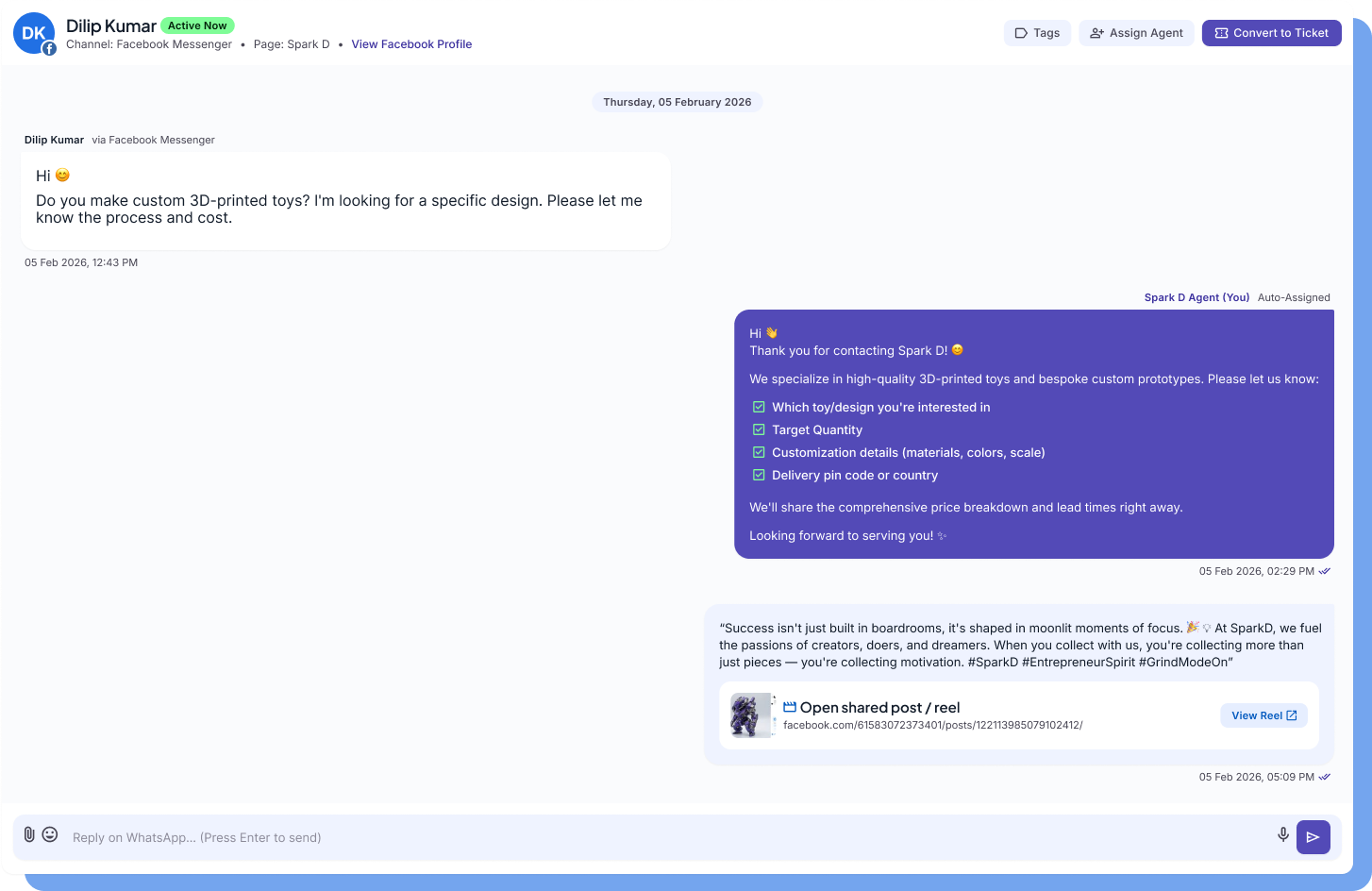
Answer Messenger enquiries directly from Brand2Chat, with the customer's profile and previous messages close by. See shared posts and reels in the conversation so your team can understand what caught their attention.
✓Read and reply without leaving your workspace
✓See the customer profile and connected Facebook Page
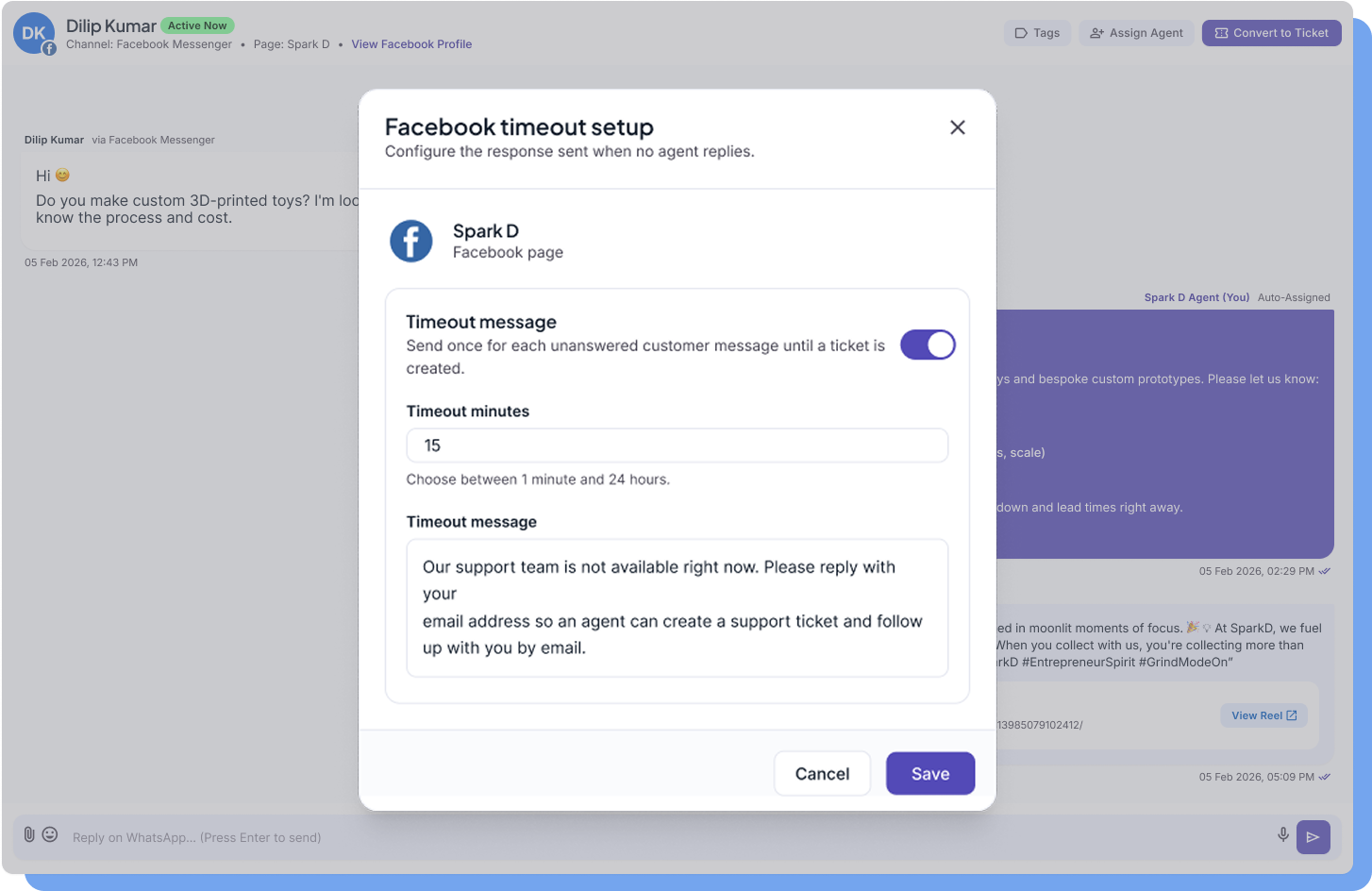
When no agent replies, a timeout message can acknowledge the wait. Choose how long to wait and write a response that explains the next step, such as asking for an email address for your team to follow up.
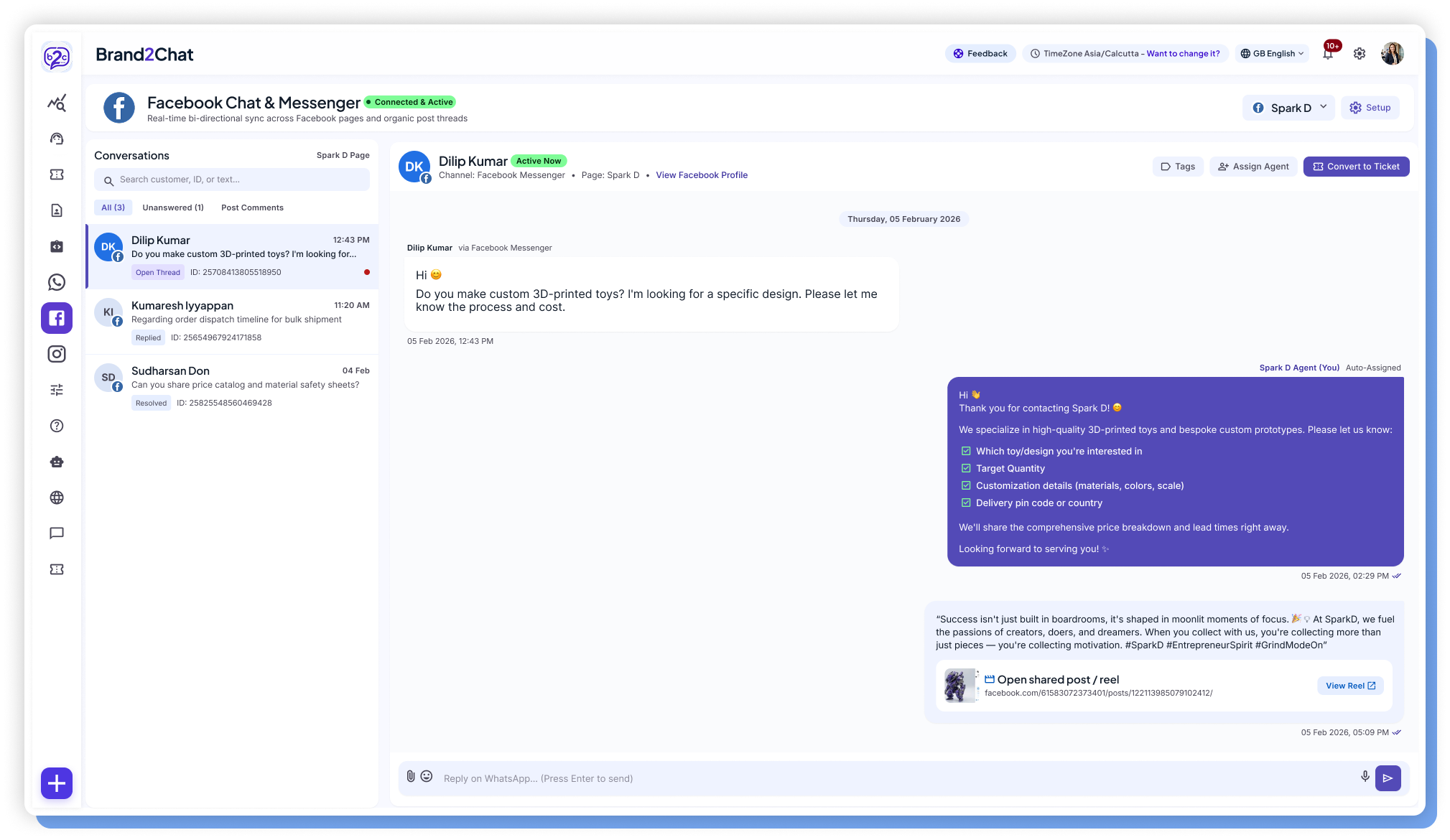
Search your Facebook conversations and filter unanswered messages to see where help is needed. Add tags, assign an agent, or convert a conversation to a ticket when it needs further attention.
✓Search conversations and filter unanswered messages
Open Integrations in Brand2Chat and select Connect Facebook. Follow the connection prompts to choose the Page you manage and grant the requested permissions. Send your Page a test message through Messenger to check that it appears in your workspace.
Can I reply to Messenger conversations from Brand2Chat?
Yes. Open a conversation in your Facebook inbox and send your reply from the dashboard. Your customer receives it in Messenger, while your team can keep the conversation history in view.
What happens when an agent cannot reply right away?
You can enable a timeout message for your connected Facebook Page. Set the waiting period and customize the response to let customers know what to do next, such as leaving an email address for a follow-up.
How can I find messages that still need a reply?
Use the Unanswered filter in the Facebook conversation list. You can also search by customer, ID, or message text and review the conversation preview before opening a chat.
Can I assign conversations or turn them into tickets?
Yes. The conversation toolbar includes Tags, Assign Agent, and Convert to Ticket. Use these controls to organize enquiries, involve a teammate, and move conversations that need further attention into your ticket workflow.
Can I try Brand2Chat before choosing a plan?
Yes. Brand2Chat offers a free 15-day trial with no credit card required. Sign up to explore the workspace and connect your Facebook Page.
Bring a personal touch to your Facebook support.
Give your team one place to stay connected with customers on Messenger.